

Client Support Guide
It happens to almost everyone. Your phone is connected, but Mobile-ID or Smart-ID refuses to work. The solution takes less than a minute.
Your Lithuanian e-signature (Mobile-ID) works through your Lithuanian SIM card. When you travel, your phone automatically connects to a local roaming partner network — but not all partners route the special SMS codes that Mobile-ID needs. Switching to a different available network almost always solves it.
These steps are for iPhone. Android users: go to Settings → Network & Internet → Mobile Network → Network operators → Search networks, then select manually.
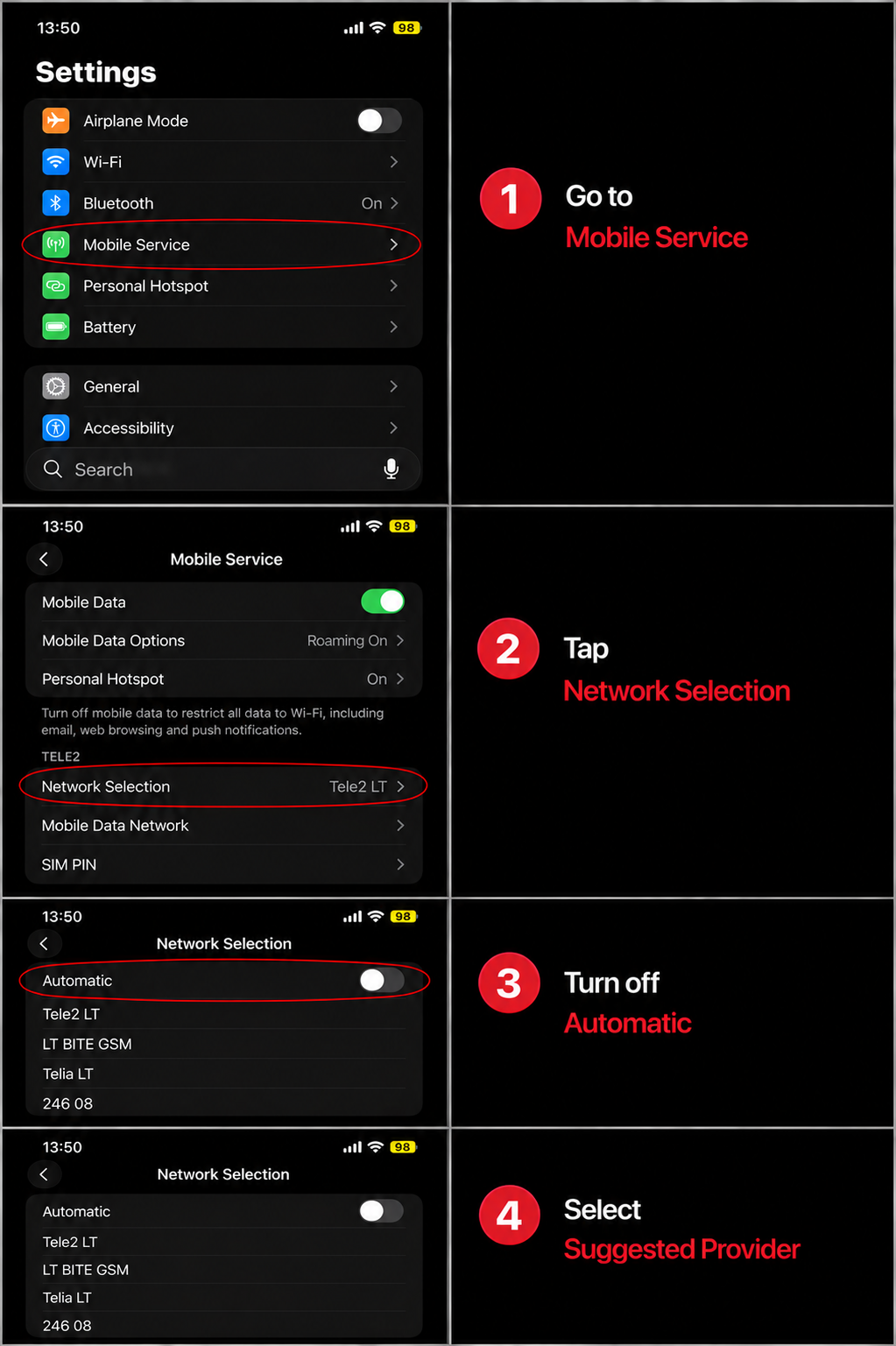
Try the networks listed below for your carrier. Start with the first one — if Mobile-ID still doesn't work after 1–2 minutes, try the next.
If you've tried switching networks and your e-signature still isn't working, reach out to us. We'll help you find an alternative way to complete your documents while abroad.
Contact Baltic Capital Partners